


How to Delete Your Creations
On this page
You can permanently delete images and GIFs from your Createporn.com account through your Creations page. This article also explains what to do if the Delete icon is not visible or does not work as expected.
How to Delete a Creation
Step 1: Open Your Creations Page
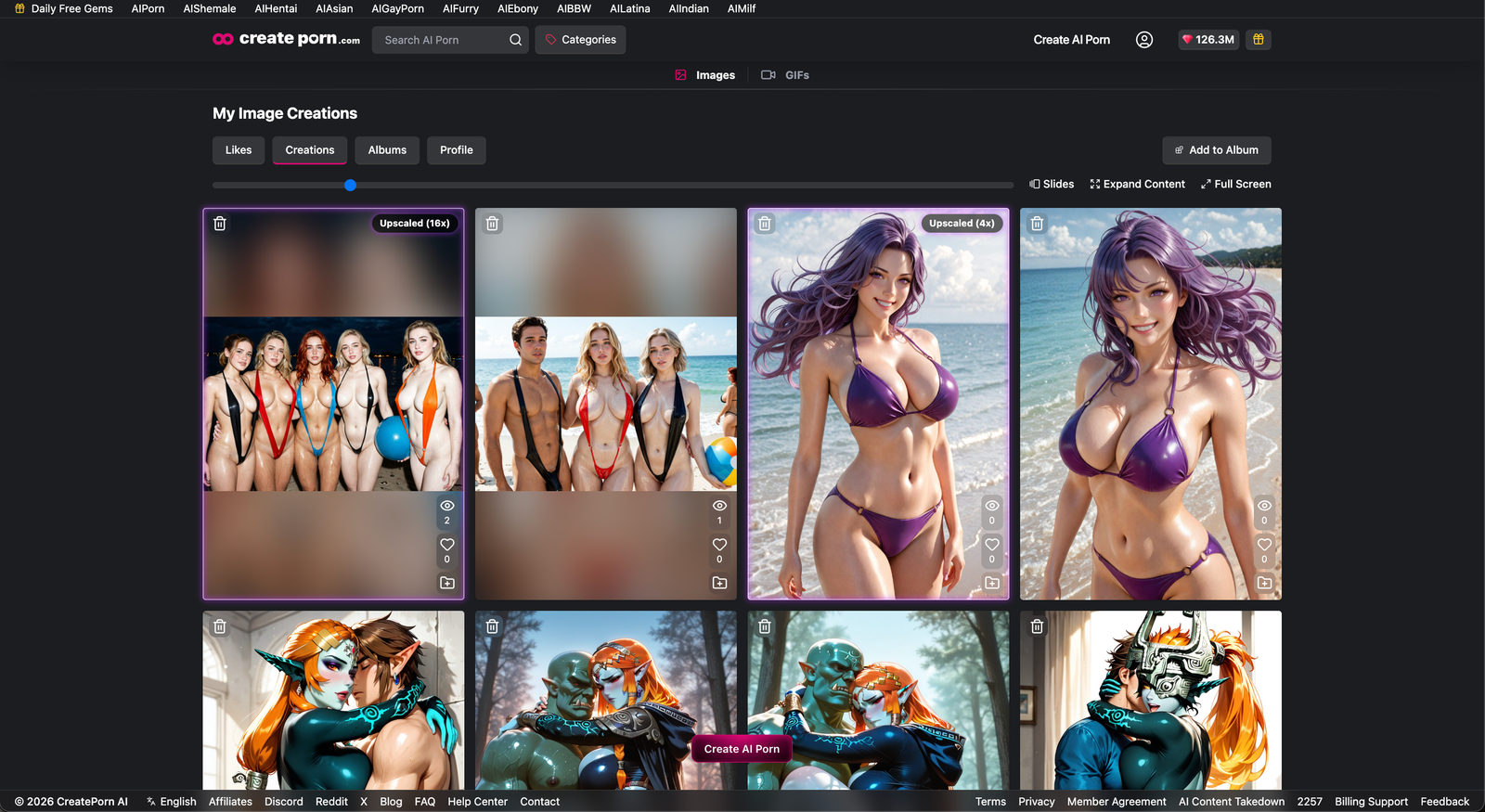
Log in to your Createporn.com account and open your User Profile.
Select Creations to view the images and GIFs saved to your account.
Scroll through your creations and locate the one you want to delete.
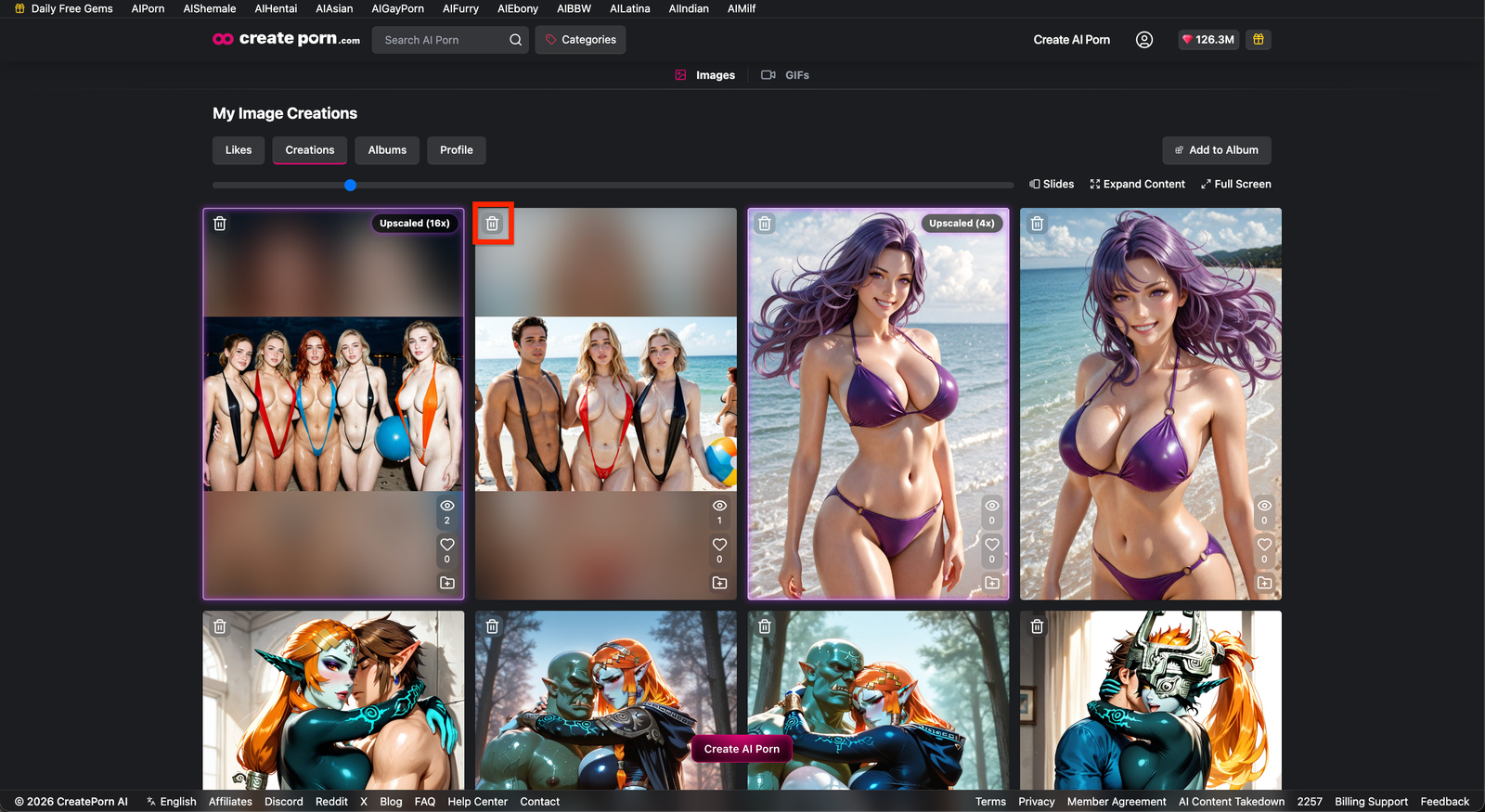
Step 3: Click the Delete Icon
Click the Delete icon on the creation you want to remove. This icon is located at the top-left of the thumbnail.
Step 4: Confirm the Deletion
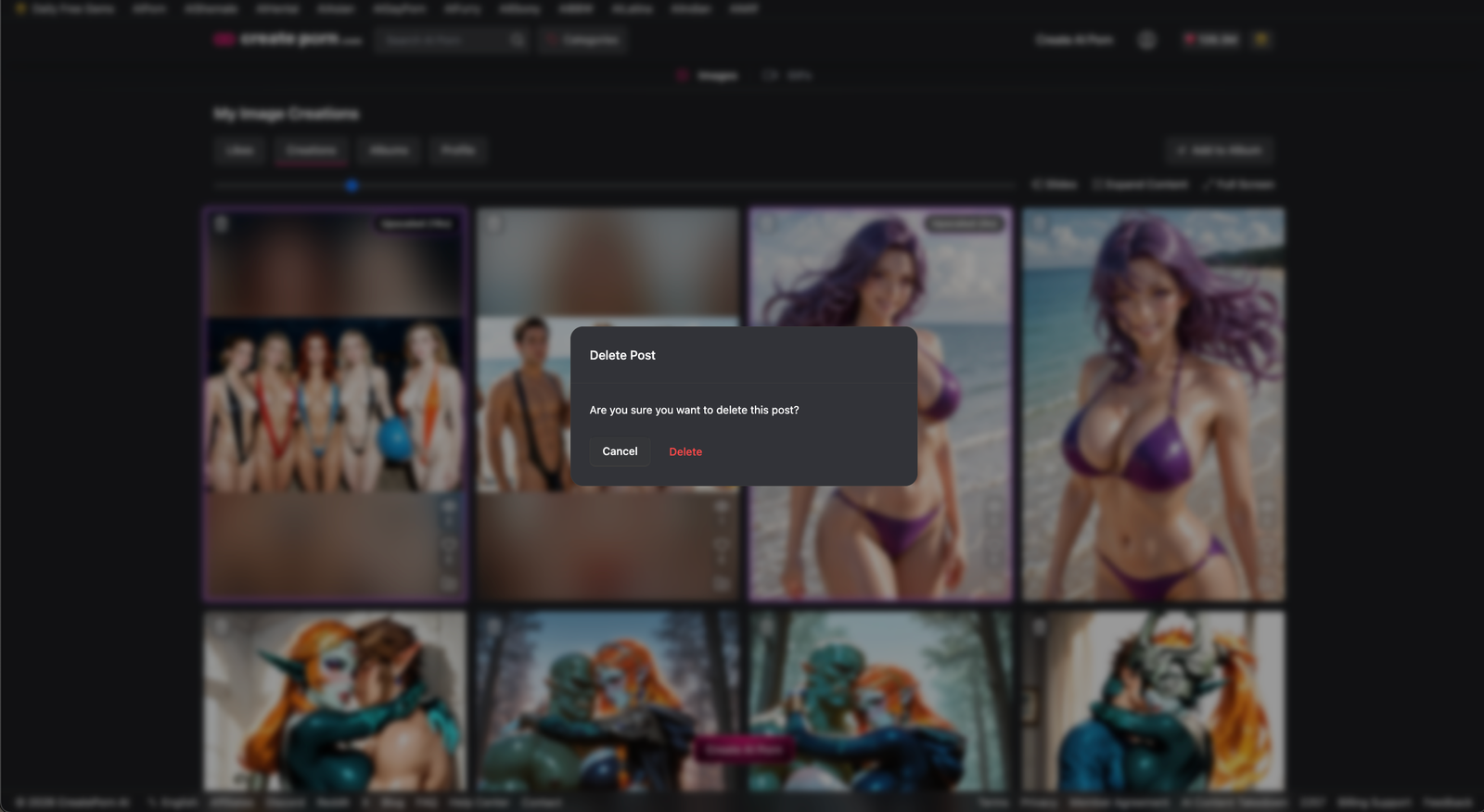
A confirmation message may appear. Click Delete to permanently remove the creation from your account.
Step 5: Refresh the Page
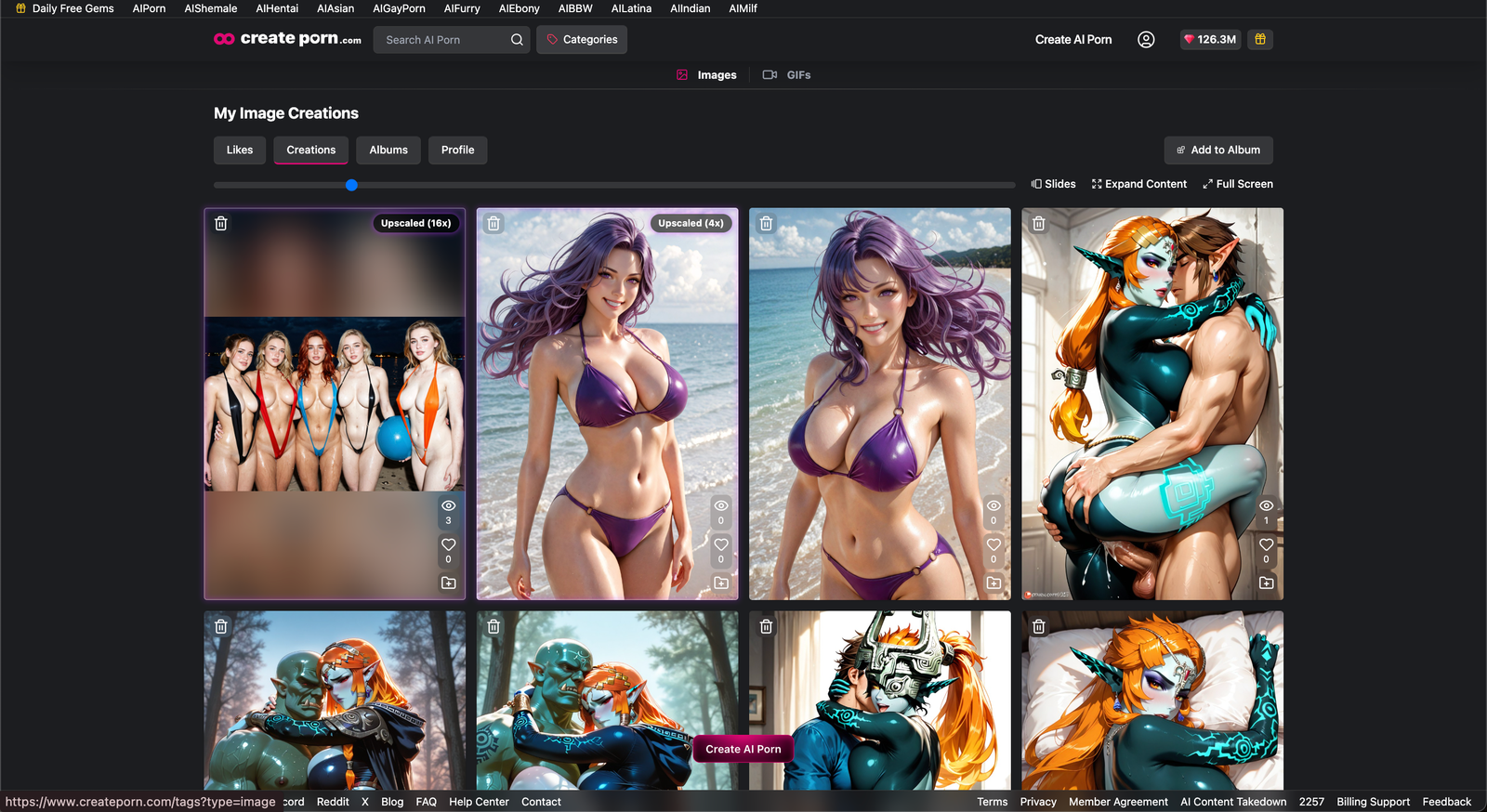
The page may refresh automatically after the creation is deleted. If it does not, refresh the page manually to update your Creations gallery.
What to Do If the Delete Icon Is Missing
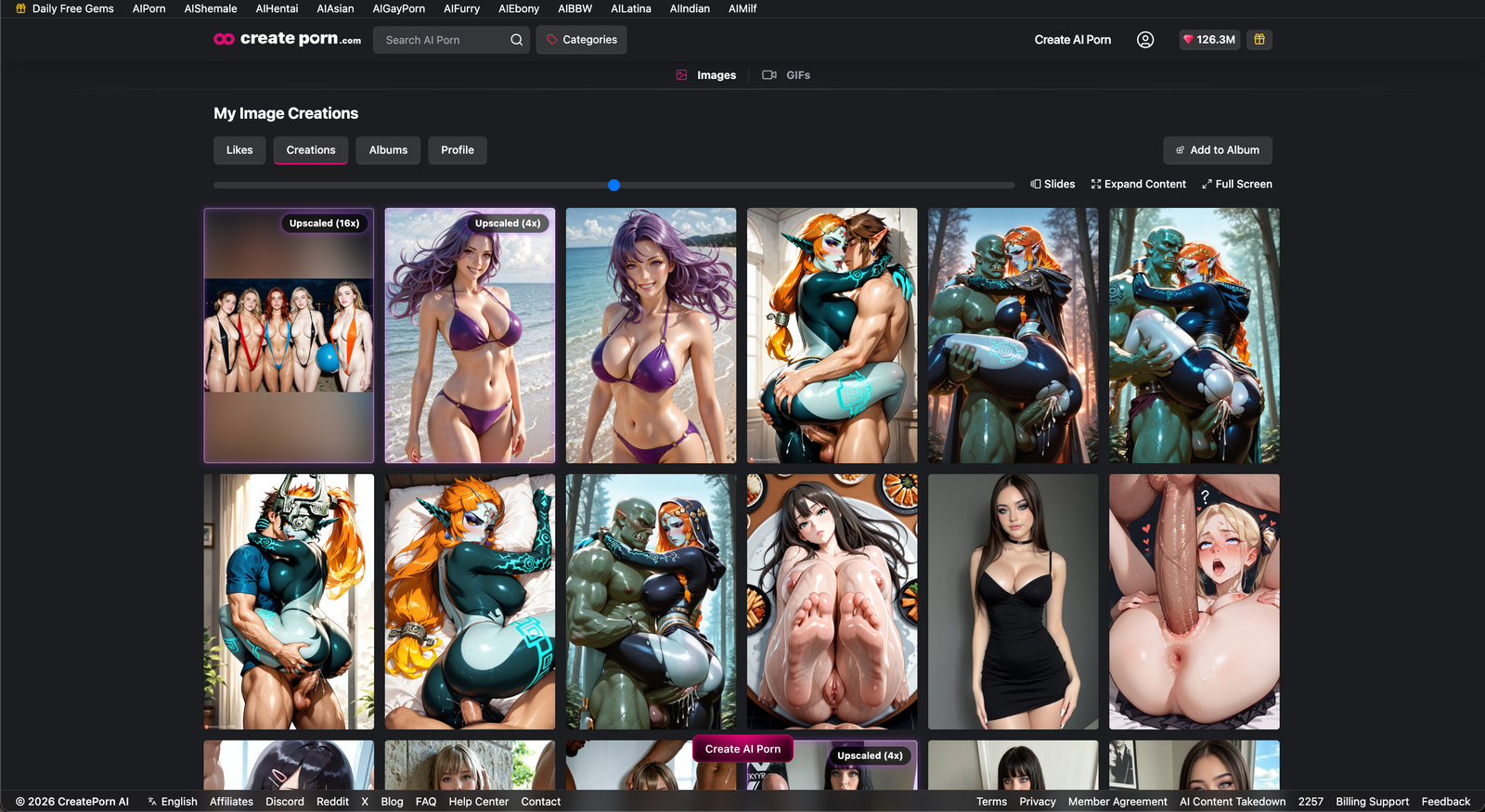
The Delete icon may be hidden when your creation thumbnails are displayed at a small size. This is expected UI behavior and does not usually mean that the delete feature is unavailable.
Increase the Thumbnail Size
- Open your Creations or Album page.
- Locate the horizontal thumbnail-size slider above the creation grid.
- Move the slider to increase the thumbnail size.
- Check whether the Delete icon now appears on the image or GIF.
Check Your Browser Zoom
A high browser zoom level may also prevent parts of the interface from appearing.
Try zooming out in your browser, then check the creation again.
Note: If the buttons don't appear, reduce the number of posts per row using the bar above the Feed.
Refresh the Page
Refresh the page after adjusting the thumbnail size or browser zoom. The Delete icon should appear once the creation is displayed at a larger size.
Note: The Delete icon may be hidden when thumbnails are minimized or displayed in a compact layout.
If the Delete Button Does Not Work
If you can see and click the Delete button but the creation is not removed:
- Refresh the page and check whether the creation is still visible.
- Try clicking Delete again.
- Confirm that you are logged in to the correct account.
- Contact Support if the creation remains on your account.
When contacting Support, include:
- Your account email address
- A link to the creation
- A description of what happens when you press Delete
- A screenshot showing the issue
Tips
- Increase the thumbnail size before assuming the Delete option is missing.
- Reduce the number of posts per row using the bar above the Feed.
- Zoom out if buttons or icons do not appear.
- Refresh the page after deleting a creation.
- Make sure you have selected the correct creation before confirming deletion.
Need Help?
If the Delete icon remains missing after increasing the thumbnail size, increasing your browser zoom, and refreshing the page, contact Support with a screenshot of the page.
If the button is visible but does not delete the creation, include your account email, the creation link, and a description of the issue so the Support team can investigate.