


How to Buy Gems with Crypto
On this page
We’re excited to introduce crypto payments for Gems on Createporn.com, giving you a secure and convenient way to top up your account. In this guide, we’ll show you the simplest method to buy Gems using Coinbase.
While we recommend Coinbase for beginners, you’re free to use any wallet you’re comfortable with — the steps are similar no matter which one you choose.
Prerequisites
Before you can purchase Gems with cryptocurrency, you’ll need a few things in place. Setting up properly will make the process smooth and secure - If you already have a crypto wallet, you can skip this section.
Create a Crypto Wallet
- If you’re new, we recommend starting withCoinbase. It’s beginner-friendly and widely trusted.
- Follow Coinbase’s simple sign-up process and complete any required identity verification.
- For guidance, you can use theCoinbase Crypto Basics or watch theirsetup tutorial.
Fund Your Wallet
- Once your account is active, you’ll need to top up your wallet.
- If you're a first time user, we strongly recommend USDC (USD Coin), since it’s stable, widely supported, and the coin we’ll be using in this guide.
- Check out Coinbase's guide on Adding Cash to your Wallet & Buying Cryptocurrencies to get started.
Once this step is complete, you can start buying Gems.
⚠️ Note: Createporn.com cannot assist with Coinbase account setup or troubleshooting. If you encounter issues, please contactCoinbase Support directly.
Start Buying Gems
Once your Crypto wallet is ready and funded, you can begin purchasing Gems. You’ll only be able to buy Diamonds using Crypto, this type of Gem is usable on all of our websites.
Log In to Your Createporn.com Account
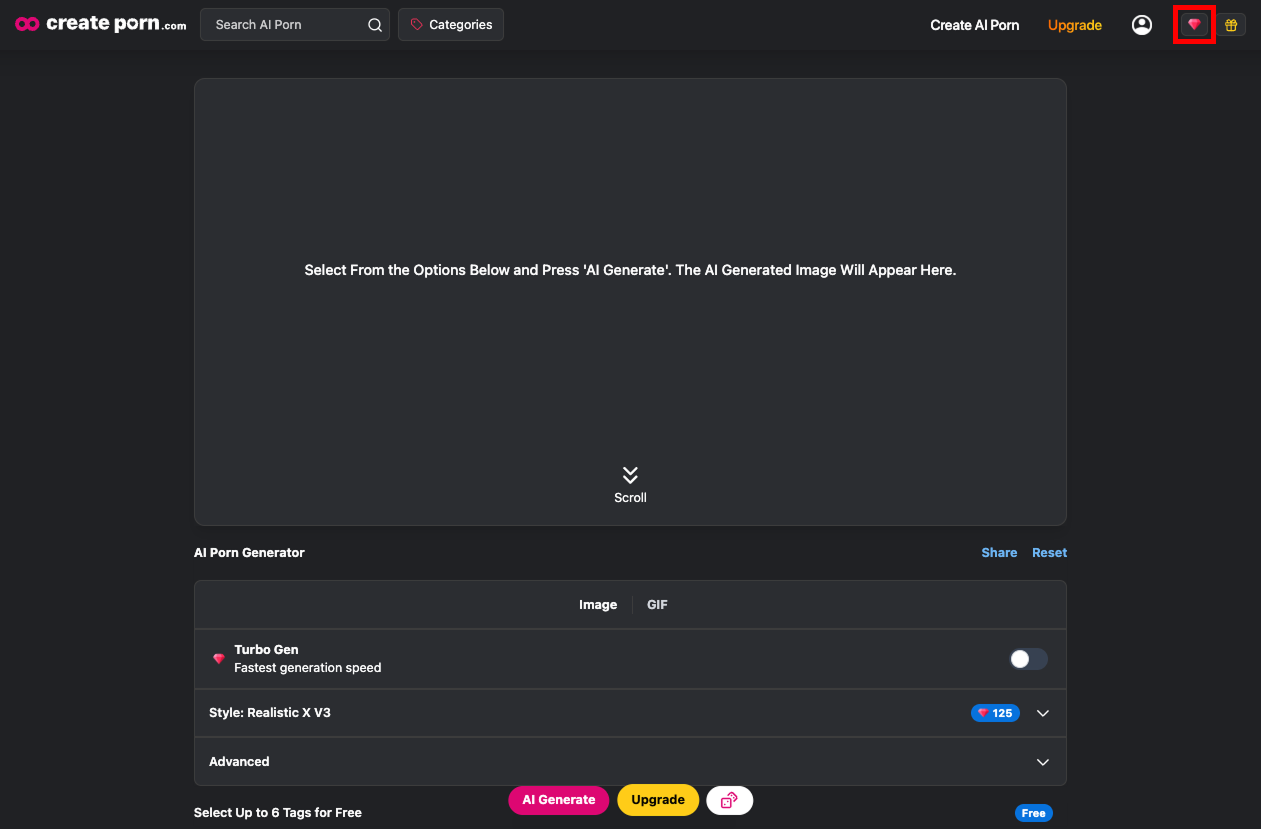
- Head toCreateporn.com and sign in.
- Click on your Gem balance (Indicated in red) at the top of the screen to open the Credits page.
Choose Your Package
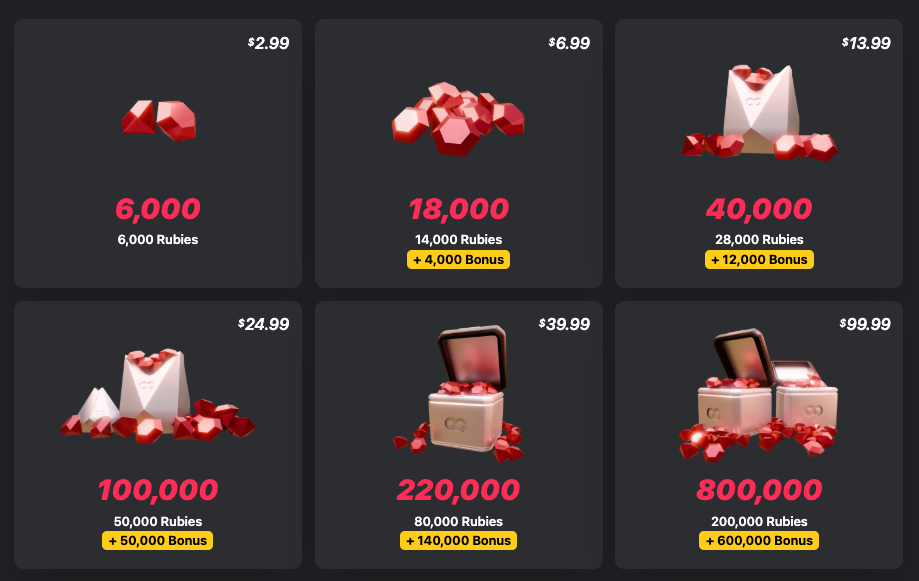
- Select the Gem pack you’d like to purchase.
Select Crypto as Your Payment Method
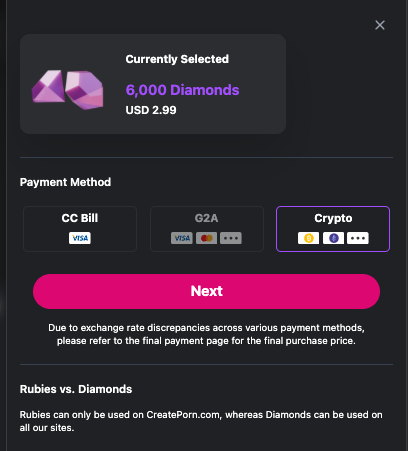
- On the checkout screen, choose Crypto and click Next.
Access the Crypto Payment Portal
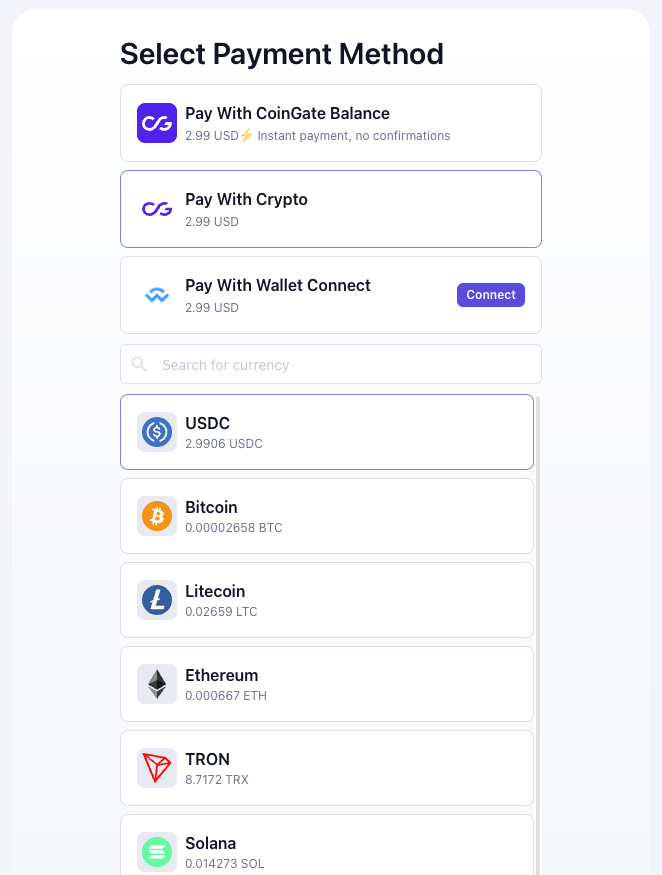
- You’ll be redirected to our secure payment portal.
- From here, select the Cryptocurrency you’d like to use (we’ll use USDC for this example).
Choose your network
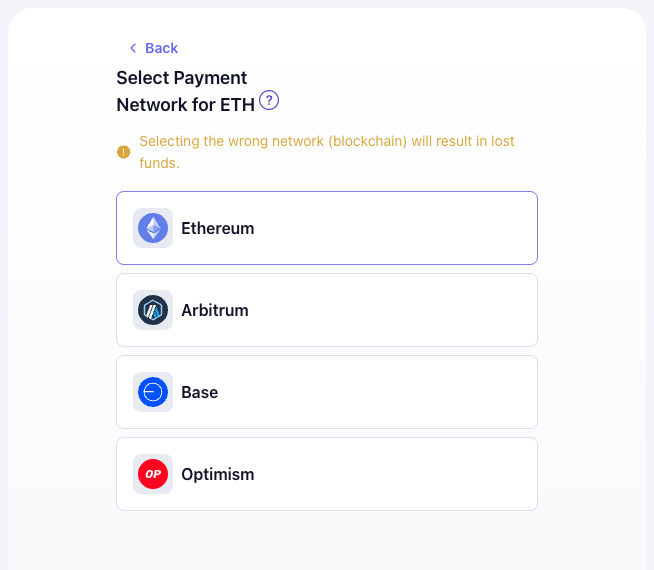
- For this guide, we’ll use Base Network for faster, low-fee transactions.
- For more details, check out the Understanding Network (Gas) Fees section below.
Enter Billing Details
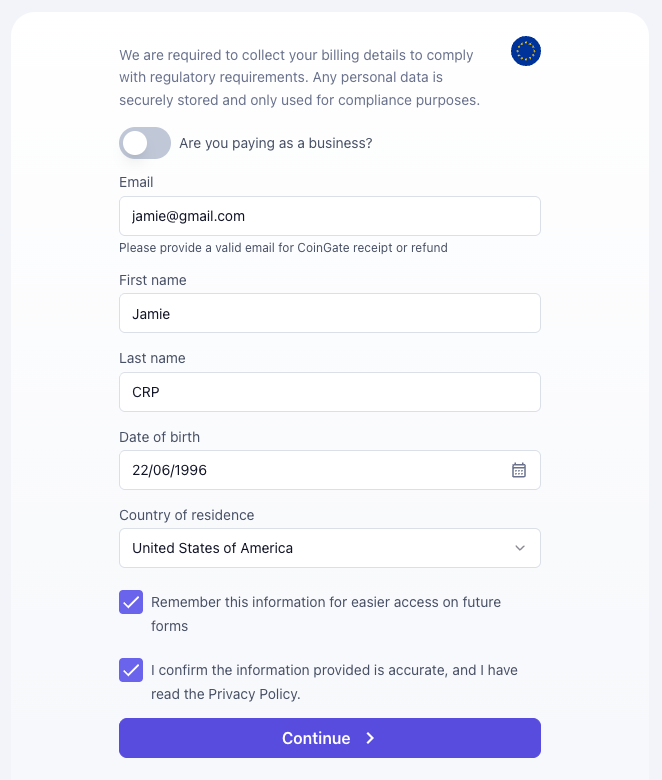
- Confirm your billing information and review your order.
Access Order Page
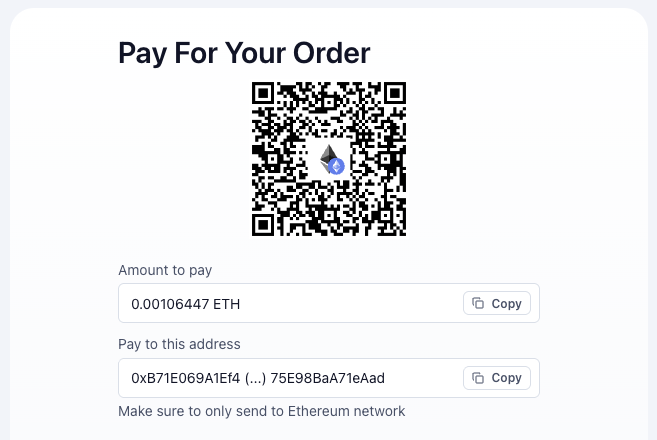
- You’ll then be taken to the Order Page.
- Leave this page open — you’ll need the details displayed here to complete your transaction through your wallet.
Completing Payment in Coinbase
Follow the steps below to Send Crypto and complete your Gem purchase.
Select Send Crypto
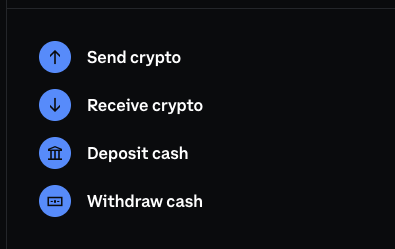
- If you’ve already opened a Coinbase account, you can skip this step.
- Open your Coinbase account and select Send Crypto. (For a quick walkthrough, watchthis video).
Choose Your Currency & Input Wallet Address
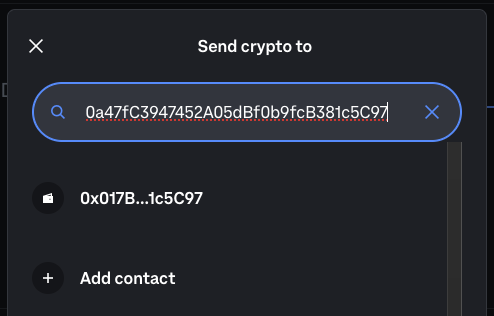
- On Coinbase, select the Cryptocurrency you’d like to send. It should match up with the one on your Order Page.
- Next, head back to your Order Page and copy the exact Wallet Address by pressing the ‘Copy’ button.
- Paste it into the search bar on Coinbase and select the first option to proceed.
Select Network
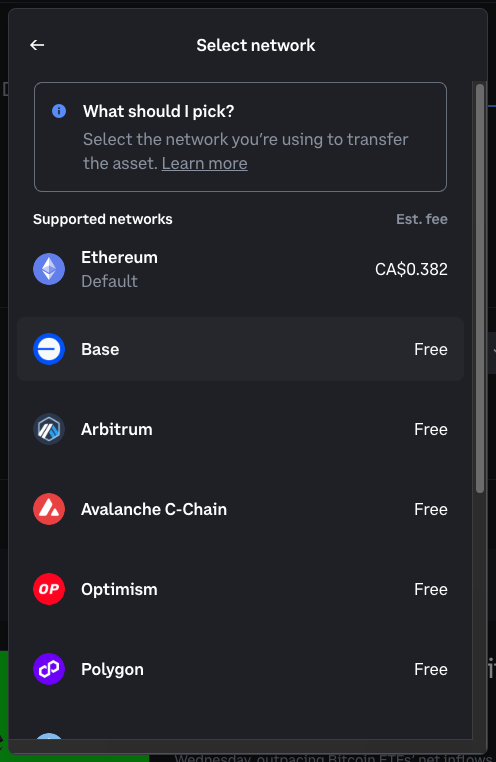
- Select the Network you’d like to send. It should match up with the one on your Order Page.
- In this example, we're using Base Network.
Confirm Coin and Network
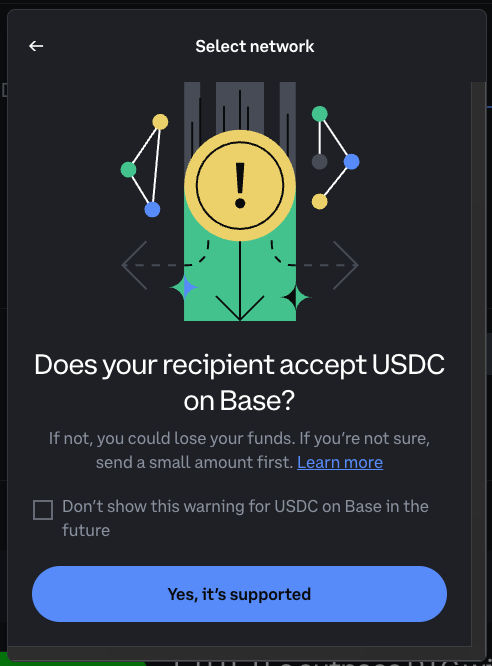
- Double-check that the Coin and Network match what is displayed on your Order Page.
Enter Amount
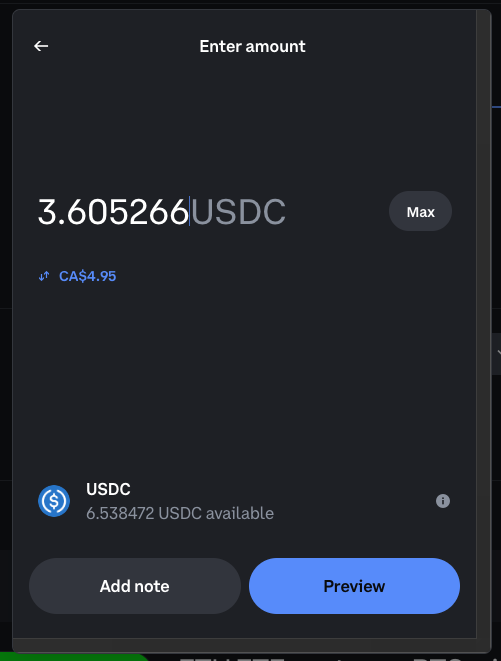
- Head back to the Order Page, and copy the exact amount of Crypto required using the ‘Copy’ button.
- Paste it into Coinbase when prompted.
Review and Confirm
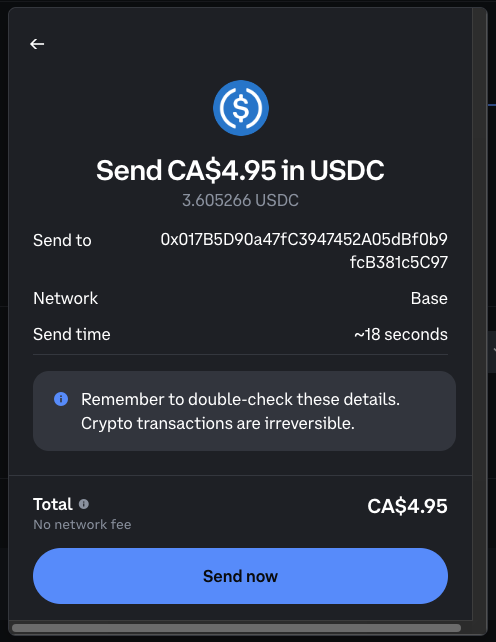
- Carefully check all details (coin, network, wallet address, amount).
- Confirm the transaction.
Coingate Confirmation
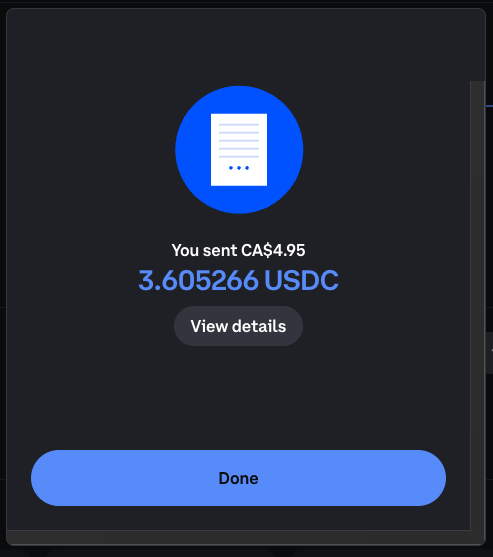
- Once processed, Coinbase will display a completion screen.
Gem Transaction Complete
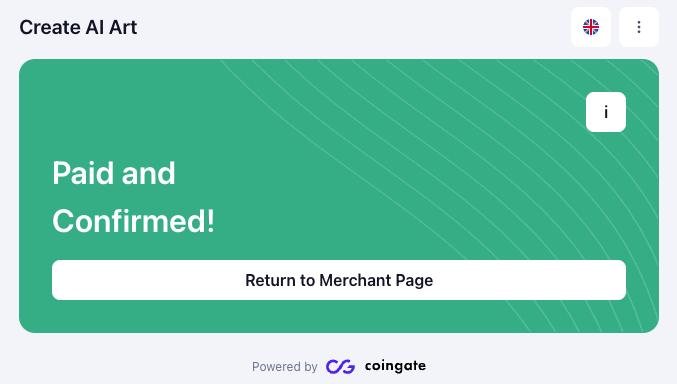
- Head back to your Createporn.com order page — within a few minutes, you’ll see a confirmation message and your Gems will be automatically added to your account.
💡 Tip: Always match the wallet address and network exactly as shown on your order page. Sending crypto to the wrong address or network may result in a loss of funds.
Understanding Network (Gas) Fees
When you make a crypto payment, you’re not just choosing a coin — you’re also choosing the network that processes your transaction. Think of it like choosing a road: some are fast and smooth, while others are crowded and come with extra tolls.
- Ethereum is popular but often slow and expensive because of high gas fees.
- Base, Polygon, or Arbitrum are faster, lighter alternatives designed to handle more traffic at a much lower cost.
Gas fees are simply the transaction fees you pay to the network. They aren’t fixed — they change depending on how busy the network is, how complex your transaction is, and which network you’re using. In some cases, the fee can even be close to (or more than) the amount you’re sending.
That’s why we recommend using USDC on the Base Network whenever possible. It’s stable, fast, and usually only costs a few cents per transaction — meaning more of your money goes directly into your Gem or Diamond purchase.
Avoiding High Fees with Bridging
If your crypto is stuck on a network with higher fees (like Ethereum), you don’t have to cash out and start over. Instead, you can bridge your assets to a cheaper network like Base.
Tools such as Superbridge make this easy by moving your coins from one network to another. This lets you avoid expensive fees and complete your purchase without losing value. Just be sure to review their FAQ and understand how bridging works before you begin.